Five consoles.
One machine.
Monolith is an upcoming multi-system emulator. Dreamcast, PlayStation 2, Xbox, Xbox 360 and PlayStation 3, in one window with one set of settings. Flip the selector, load your game, boot.
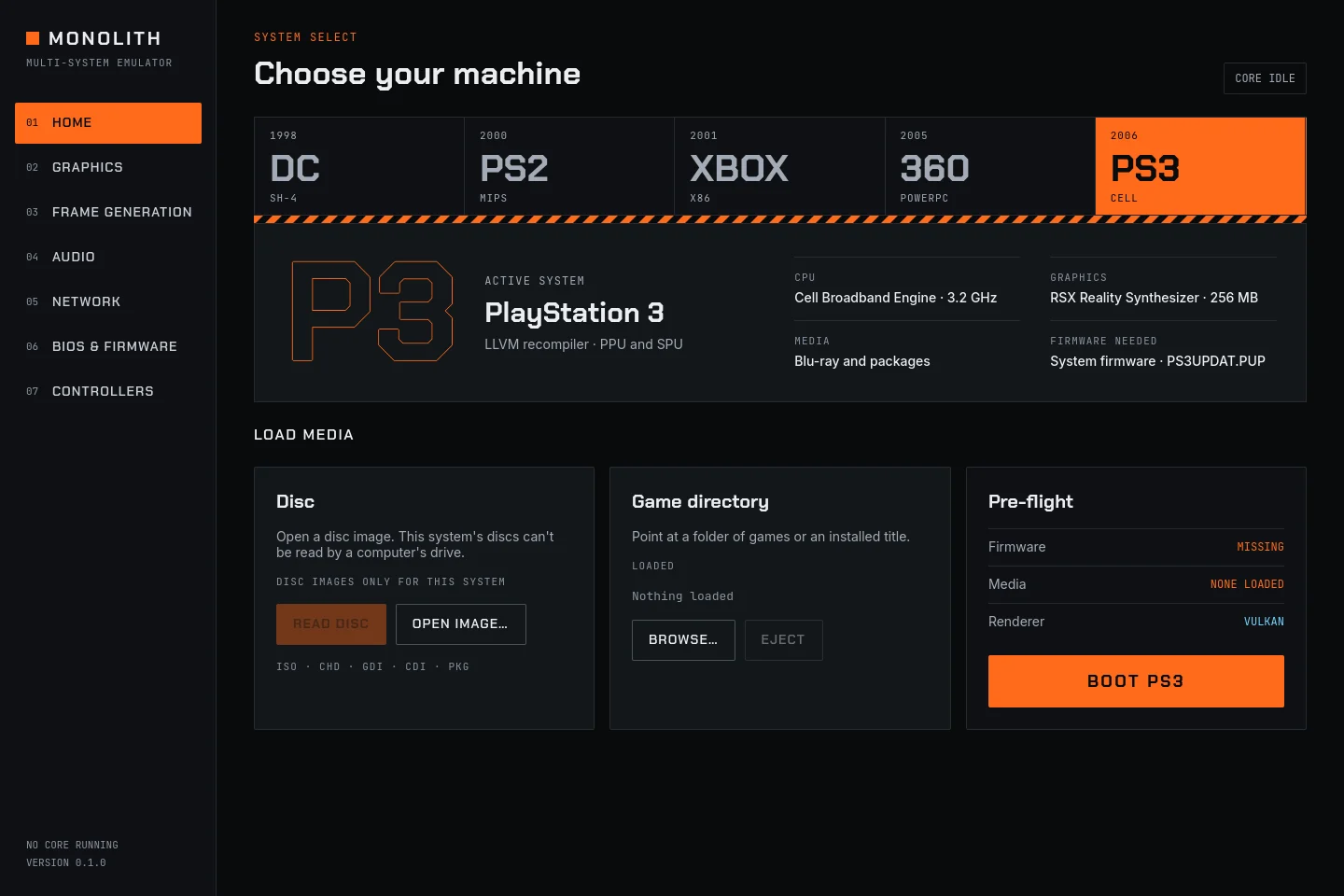
Choose your machine
Five consoles from three companies, 1998 to 2006, behind one selector switch.
ONE AT A TIME One console runs at a time. Stop it, flip the selector, boot the next.
Select. Load. Boot.
Select
Pick the console on the home screen. Monolith shows what it is and what it needs.
Load
Open a disc image or point Monolith at a game folder. PlayStation 2 discs can also be read straight from your drive.
Boot
A pre-flight check shows firmware, media and renderer at a glance. Then hit boot.
One set of settings
Every settings page is designed and already in the app. Set things up once; they apply to every console.
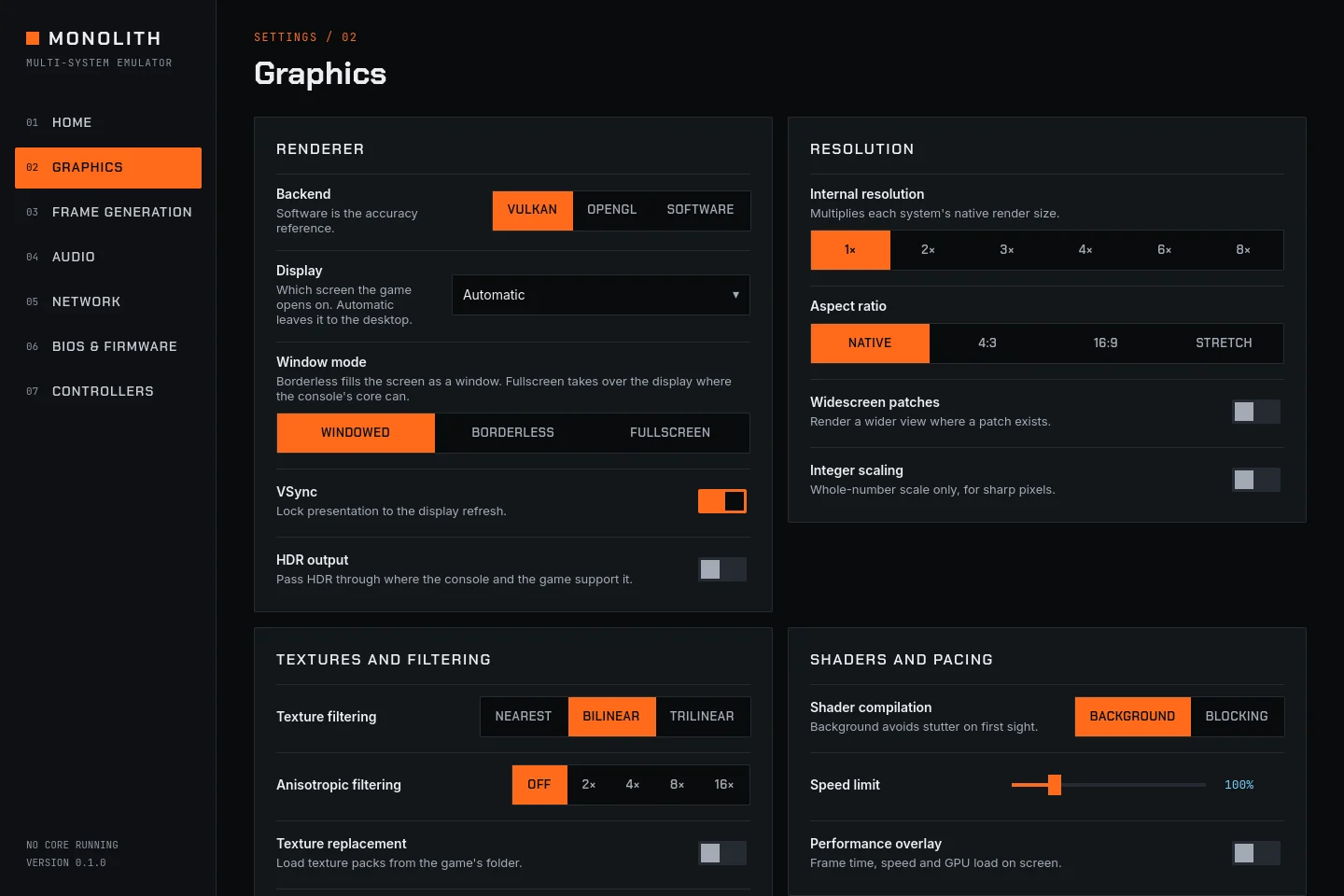
Graphics
- Vulkan, OpenGL or software renderer
- Internal resolution up to 8×
- Choose the monitor, and windowed, borderless or fullscreen
- Aspect ratio and widescreen patches
- Texture filtering, anisotropic filtering and texture replacement
- HDR output and a performance overlay
Frame generation & upscaling
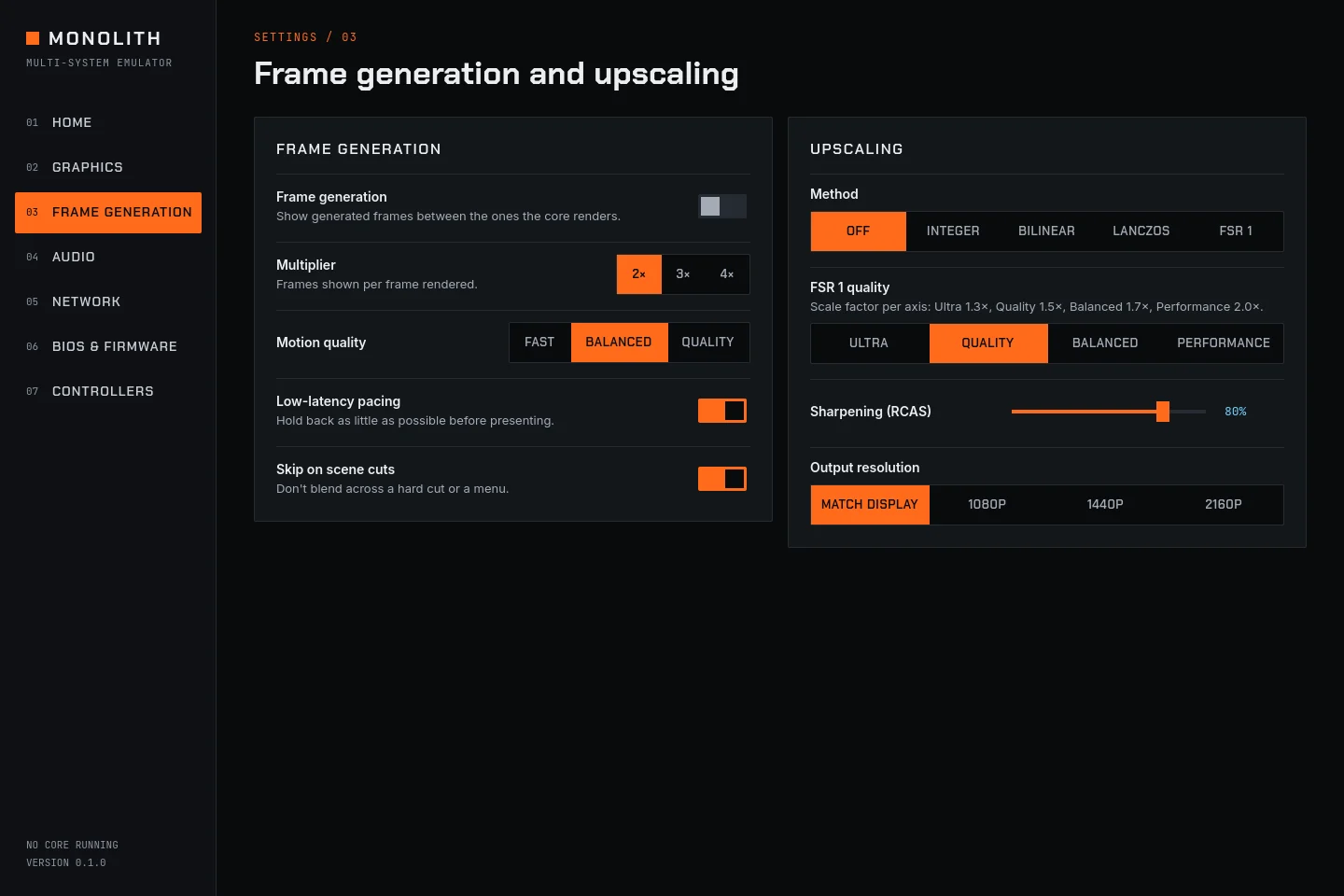
Powered by Syluxium Motion, the open-source frame generation engine from LiquidFrames.
- 2×, 3× or 4× frame generation
- Motion quality from fast to quality, plus low-latency pacing
- Skips blending across scene cuts and menus
- Upscaling: integer, bilinear, Lanczos and FSR 1 with quality presets and sharpening
> The goal: a 30 fps console game shown at 60 fps.
Controllers
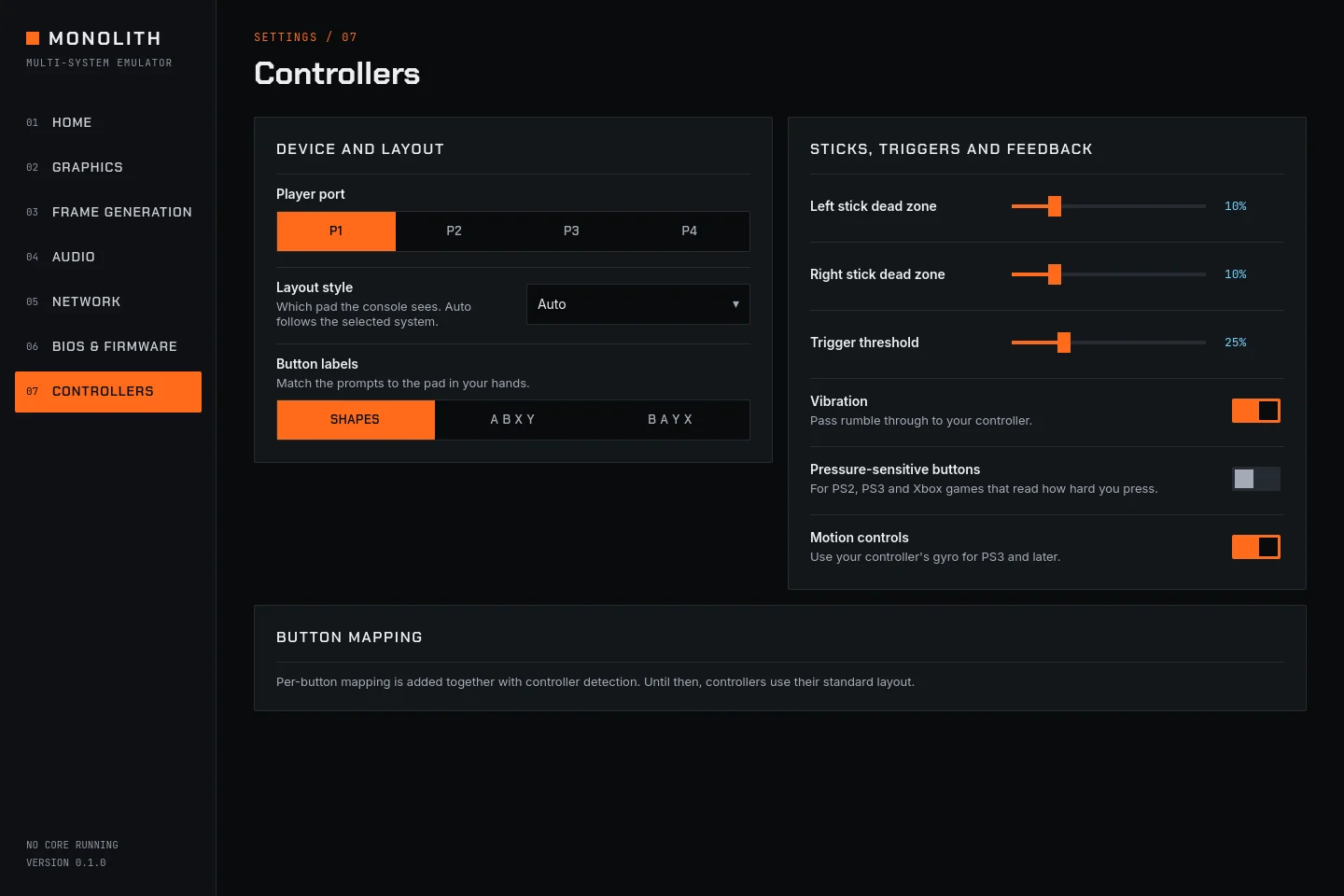
- Layouts for every system: Dreamcast, DualShock 2, Xbox, Xbox 360, DualShock 3, or automatic
- Button labels, dead zones, vibration and motion
- Pressure-sensitive buttons
- Per-button mapping on the way
One menu, every console
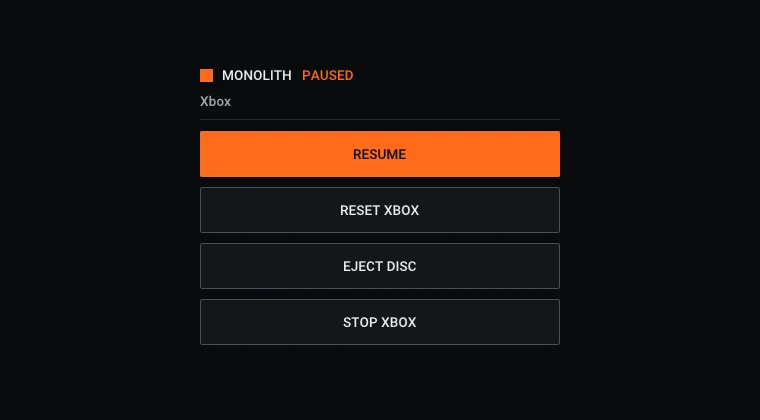
- Press Escape in any game for Monolith's own menu
- Resume, reset, swap the disc or stop
- Save states where the console supports them
- Every console runs as part of Monolith, with one look and one window title
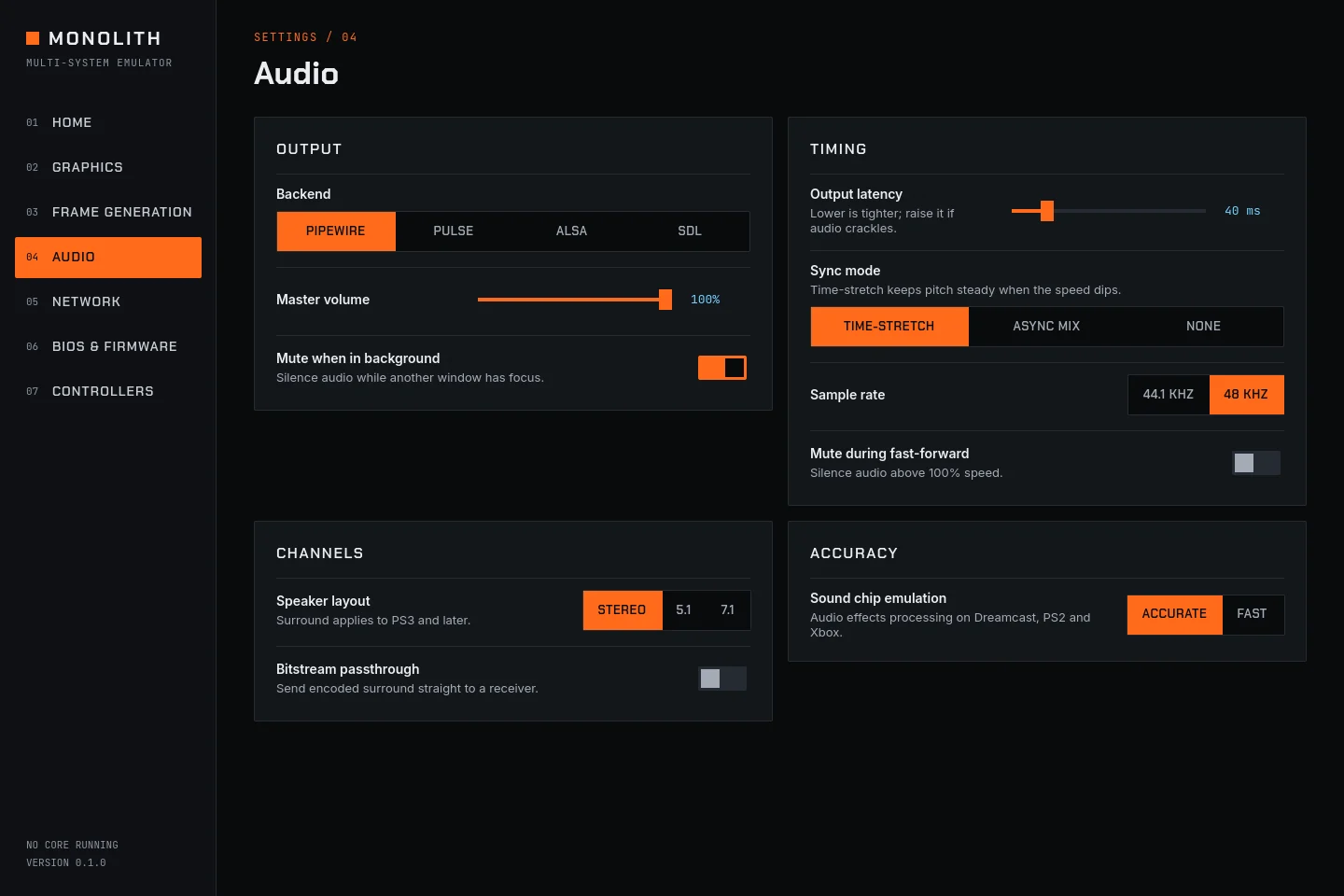
Audio
Choice of backend and latency, time-stretch sync, and stereo, 5.1 or 7.1 output.
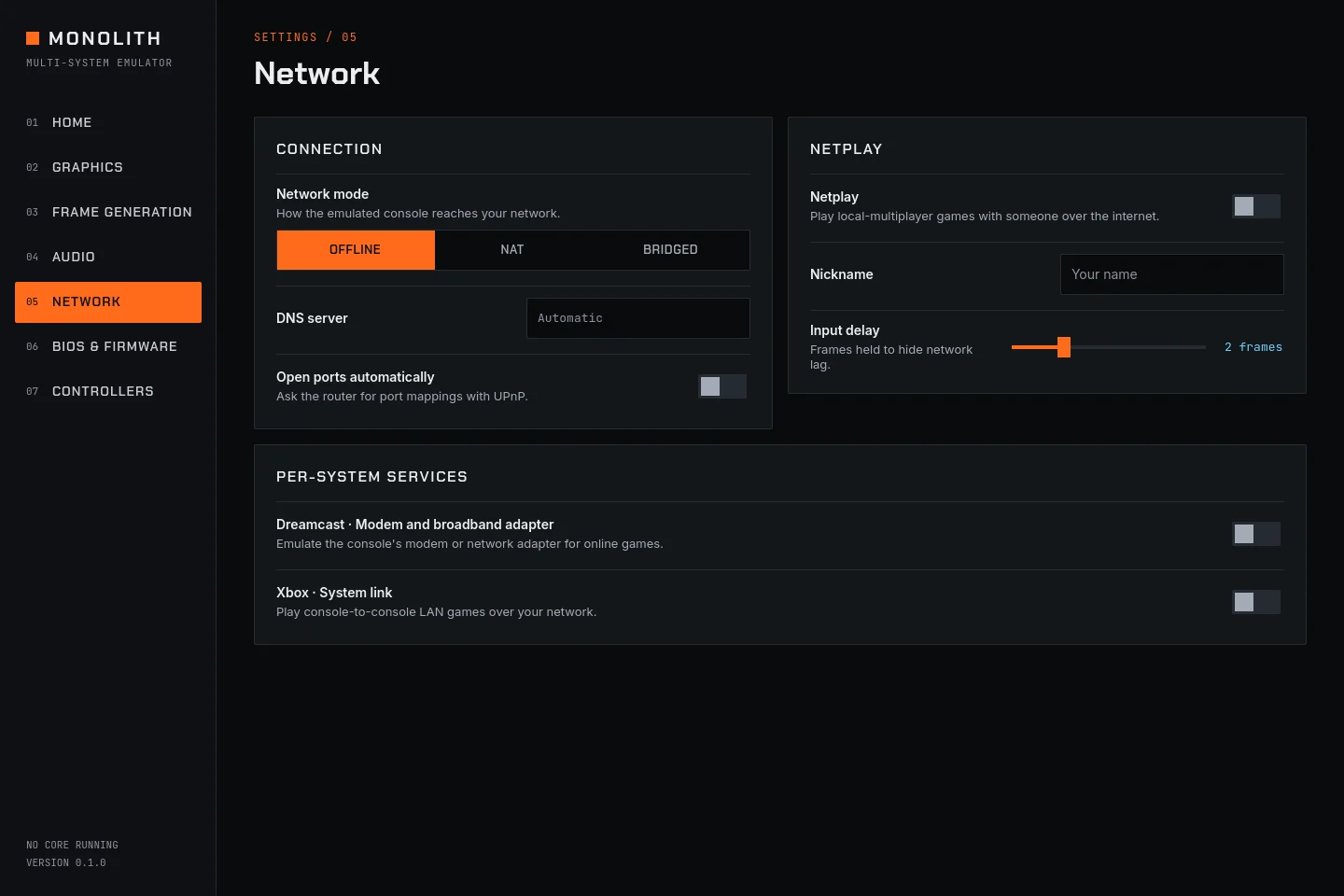
Network
Connection modes, netplay and per-console network services.
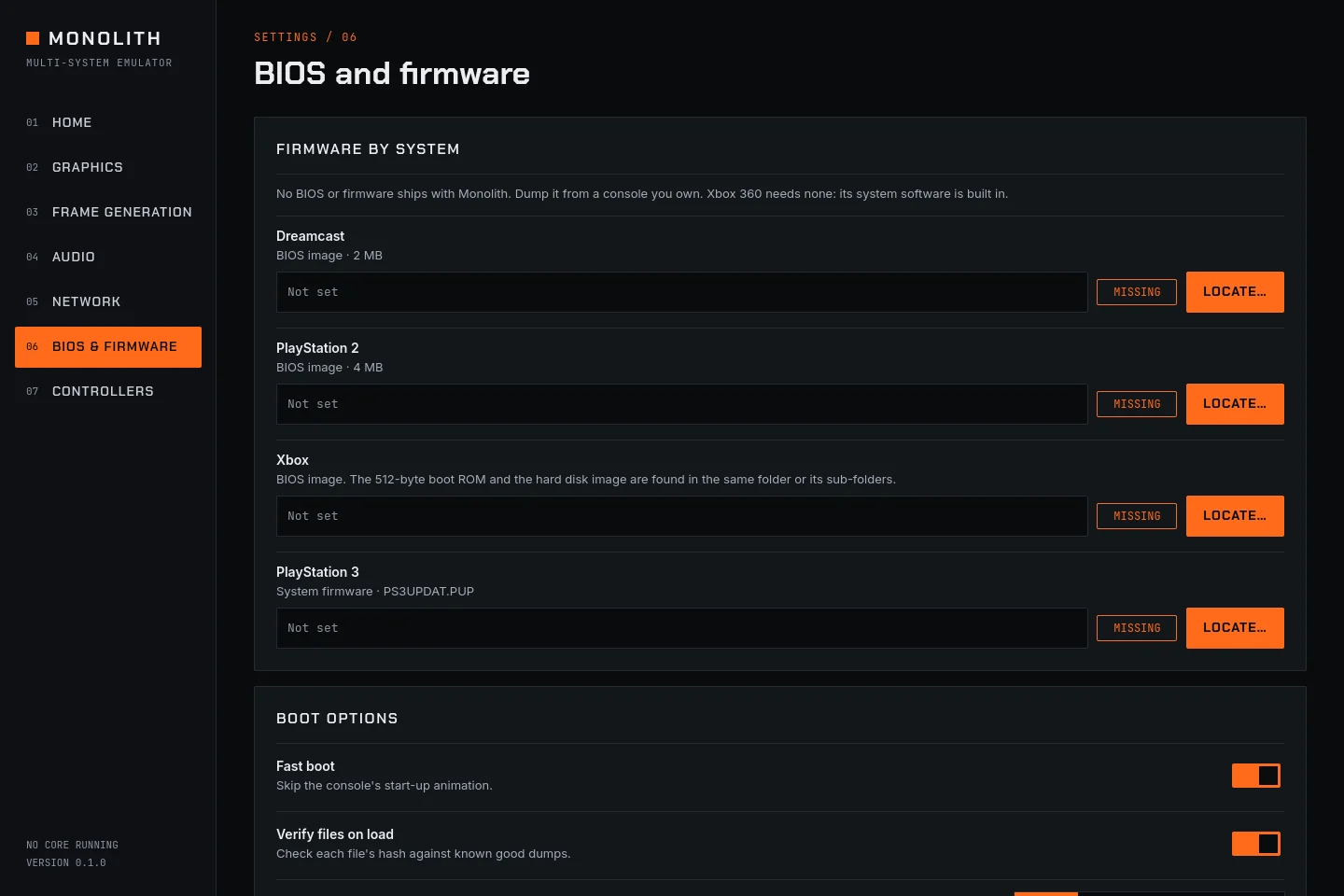
BIOS & firmware
A firmware location for each console, with a clear found or missing status. Dreamcast and Xbox 360 need none, and PlayStation 3 firmware installs itself on first use. You supply dumps from consoles you own.
Credit where credit is due
Monolith's application is open source under the GNU GPL version 2. Each console core is a separate program under its upstream project's licence: the PlayStation 2 core is GPL version 3, the others GPL version 2 or BSD. Monolith learns from and builds on the work of these emulator projects, and credits them in full. Their original copyright notices stay with any code Monolith uses.
| System | Project | Licence |
|---|---|---|
| Dreamcast | Flycast | GPL-2.0 |
| PlayStation 2 | PCSX2 | GPL-3.0+ |
| Xbox | xemu | GPL-2.0 |
| Xbox 360 | Xenia Canary | BSD-3-Clause |
| PlayStation 3 | RPCS3 | GPL-2.0 |
| Frame generation | Syluxium Motion | MIT |
All five in
All five consoles now run inside Monolith, and four of them boot games to their menus. Monolith isn't available yet and no release date has been set. Here's where each console stands.
| Console | Built from | Furthest so far | State |
|---|---|---|---|
| Dreamcast | Flycast | Boots to the console's own menu; runs a homebrew program | Running |
| PlayStation 2 | PCSX2 | Boots a game to its first screen | Running |
| Xbox | xemu | Boots a game to its main menu, with keyboard control | Running |
| Xbox 360 | Xenia Canary | Boots a game to its main menu, with keyboard control (the roughest so far) | Running |
| PlayStation 3 | RPCS3 | Installs its system firmware and reaches its first-time setup | Running |
Gameplay beyond the first menus hasn't been tested yet, so no game is listed as playable.
Working today
- One window: selector, load media, pre-flight, boot and stopOnline
- Monolith's in-game menu on every consoleOnline
- Keyboard control (Dreamcast, Xbox, Xbox 360)Online
- Renderer, resolution, V-Sync, aspect ratio, filtering, volume, fast bootOnline
- Choice of monitor and window mode, on all five consolesOnline
Coming next
- Upscaling with FSR 1 (Xbox 360 and PlayStation 3 first)In progress
- Frame generation with Syluxium MotionPlanned
- Controller detection and button mappingPlanned
- Multiplayer networkingPlanned
- A full test and bug-fix pass on every consolePlanned
Be there when it boots
Follow Monolith's progress, ask questions and share ideas on the Syluxium forum.
Join the forum